
Last Updated: October 30, 2026
Quick Summary
Brivo access control is a cloud-managed system that lets a business control who can enter its doors, when they can enter, and what the system records about each entry. Brivo presents it as a combined security product, so buyers should evaluate door access alongside its bundled features.
- Ask how doors behave during an internet outage and how long cached credentials stay valid.
- Limit administrator access to a small group, require strong authentication and review that list every quarter.
- Request a five-year total-cost-of-ownership sheet that separates subscription, hardware, installation, credentials and support.
- Test each platform with your own door list, user groups and camera setup before taking a demo.
- Schedule installation outside business hours so doors are not disabled during the workday.
Table of Contents
- What Brivo Access Control Is and How the Platform Works
- Brivo Access Control Features Worth Evaluating
- The Brivo Access Control App and Remote Administration
- Brivo Mobile Credentials Compared With Key Fobs and Keycards
- Brivo Access Control Pricing and Total Cost of Ownership
- Brivo Compared With Acre, Kisi and Avigilon, and Who Should Choose It
- Getting a Brivo Quote and Planning Your Installation
- Frequently Asked Questions
What Brivo Access Control Is and How the Platform Works
Brivo access control is a cloud-managed system that lets a business control who can enter its doors, when they can enter, and what the system records about each entry. Brivo presents its platform as a combined security product, so buyers should look at door access alongside the other features it bundles. Brivo Security Suite editions overview
Most commercial access control works in a similar way. A reader, keypad or mobile credential sends a request to a controller, and the controller checks the request against rules set by an administrator.
Cloud-based architecture and what it means for uptime
Because Brivo is cloud-based, administrators can change schedules, add users and review events from a web browser or phone. That convenience comes with a trade-off.
Ask the vendor which doors keep working offline, how long cached credentials stay valid, and what happens when access changes made in the cloud fail to reach a reader. These answers matter more for uptime than any marketing claim about availability.
Brivo Access Control Features Worth Evaluating
Feature lists can look similar across vendors. The useful question is whether each feature solves a problem you actually have. We recommend listing your doors, user groups and reporting needs before you compare platforms.
Door, user and credential management
Access control systems generally let administrators manage three things: doors, people and credentials. Doors define where access applies. People can be grouped by role, such as employee, contractor or night-shift staff. Credentials, whether a keycard, key fob or phone, link a person to the doors they can open.
Grouping users by role saves time when someone joins or leaves. Removing a departed employee’s credentials in one step is far safer than hunting through individual doors. Check how the platform handles bulk changes, since a small office can grow into a larger one quickly.
Visitor management and video intelligence
Visitor management lets staff issue temporary access for guests, contractors and deliveries, then automatically expire that access. Video intelligence adds camera-based context to access events, so an administrator can see who triggered a door and what the camera recorded at the same moment.
Vendors often bundle access control with video and other physical security features. Read an overview of modern business video surveillance options to see how visitor management and video intelligence fit together.
The Brivo Access Control App and Remote Administration
The mobile app matters most when someone needs to act quickly from outside the building. A facility manager can unlock a door for a delivery, add a temporary visitor or check whether a door was left open.
In practice, the biggest risk is not the app itself but who holds administrator rights. Limit admin access to a small group, require strong authentication, and review that list every quarter.
Facility managers can use the app to review access events, adjust schedules and manage users from a single interface. Follow a practical guide to adding a smart lock to an existing door if you want app-based remote control on a door you already have.
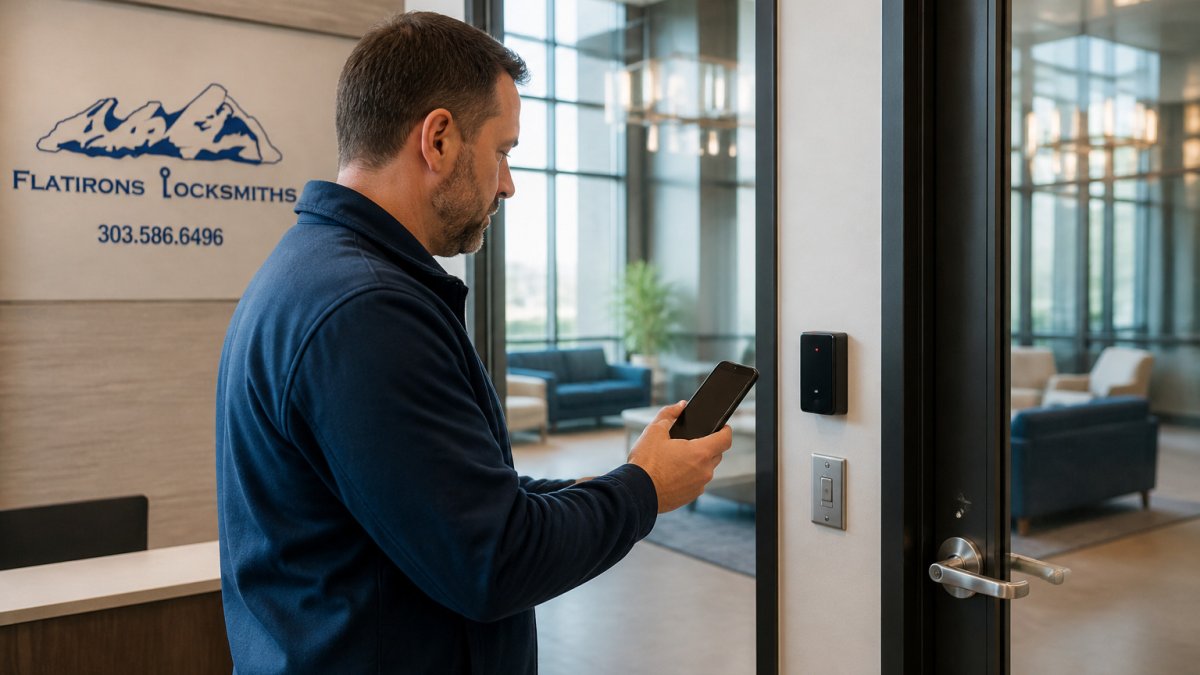
Brivo Mobile Credentials Compared With Key Fobs and Keycards
Credential choice shapes both convenience and cost. Keycards and key fobs are familiar, inexpensive to replace and easy for staff to understand.
Mobile credentials work best where staff already carry a phone and where you want quick, hands-free entry. Compare residential door locks that support smart, keyless access before you commit to a credential type.
Plan for lost-credential handling no matter which type you choose. With a card, you disable it. With a phone, you revoke the mobile credential and confirm the device no longer opens doors.
Brivo Access Control Pricing and Total Cost of Ownership
A total-cost-of-ownership model matters more than a headline subscription rate, because access control buyers often budget only for the subscription and forget the door hardware, installation labor, and credential replacement cycle. The framework below lets you build a defensible budget before you have a written quote.
The five cost buckets you must separate
Every access control quote, from any vendor, should break into these five lines. If a quote lumps them together, ask for the breakdown before you compare.
- Cloud subscription, often billed per door, per user, or per site depending on the vendor’s edition. Confirm which edition the quote reflects and whether video, visitor management, or mobile credentials are included or add-ons.
- Door hardware, reader, controller, electric strike or mag lock, request-to-exit device, power supply, and any wiring. Hardware cost per door varies with the components selected, so get an itemized quote before comparing.
- Installation labor, varies with door type (hollow metal, glass, wood), whether conduit must be run, and whether the door already has power. Retrofits into finished walls cost more than new construction.
- Credentials, keycards and fobs have a per-unit cost and a replacement rate; mobile credentials shift cost to the subscription but require compatible readers and a phone-issuance workflow.
- Ongoing support and integration, camera integration, alarm panel tie-ins, and any managed-service or extended-support agreement.
A worked example structure (plug in your own numbers)
Because we will not invent vendor pricing, use this structure with quotes you collect:
| Cost line | What to ask the vendor | How to annualize |
|---|---|---|
| Subscription | Per-door or per-user rate? Annual prepay discount? | Monthly rate × 12, or annual invoice |
| Hardware | Itemized per door, including power and REX | One-time, depreciate over 5-7 years |
| Installation | Per-door labor rate; conduit and after-hours premiums | One-time |
| Credentials | Cost per card/fob; expected annual loss rate | Units × replacement rate |
| Support/integration | Included or add-on? Camera licenses? | Annual |
Add the one-time lines to year one and spread them across a 5-year horizon so you can compare a cloud subscription against a capital-heavy on-premises system on equal footing. Cloud systems usually front-load less capital but carry a recurring fee, so the cost comparison against on-premises hardware depends on door count and subscription tier.
Hidden costs buyers miss
- Reader compatibility for mobile credentials. Not every reader supports smartphone credentials; upgrading readers is a real line item.
- Network drops at each door. Cloud-managed controllers need connectivity; if a door has no network run, add cabling to the budget.
- After-hours installation premiums. Scheduling work outside business hours to avoid disabling doors adds labor cost.
- Credential churn. Cards are lost; budget a replacement rate rather than assuming zero.
Ask every vendor for a five-year TCO sheet, not a first-year quote. The vendor that volunteers the five-year view is usually the one confident in its recurring costs.
Pricing for any specific project depends on door count, hardware, and site conditions, so request a quote for current numbers from Flatirons Locksmiths.
Brivo Compared With Acre, Kisi and Avigilon, and Who Should Choose It
Comparison content in this category is often vendor-authored or installer-authored. The dimensions below describe how access control platforms generally differ and what drives a buying decision.
How the platforms differ on the dimensions that matter
Architecture and offline behavior. Cloud-managed systems typically use controllers at the door that cache credentials and rules, while some platforms offer on-premises deployments.
Credential strategy. Most access control platforms support cards and fobs, and mobile credential support varies by vendor.
Video and adjacent security. Some access control platforms bundle video features, while video-first platforms may offer deeper analytics. If your priority is access control with light video context, a bundled option may be convenient; if video analytics are the primary requirement, a video-first platform may fit better. See whether a small warehouse access control setup fits your needs.
Integration and API depth. Many platforms publish APIs and integration lists. Confirm which systems each vendor integrates with before assuming parity.
Best-fit profile.
- Cloud-managed platforms fit organizations that want web and mobile admin for door access, whether or not video and visitor management are bundled.
- On-premises or hybrid platforms fit buyers who need local deployment, or who have sites where connectivity or data governance rules out a pure-cloud model.
- Mobile-first platforms fit workplaces that prioritize smartphone credentials and API-driven integrations.
- Video-first platforms fit organizations where video surveillance and analytics are the primary investment and access control is a supporting layer.
When Brivo is the wrong choice
A cloud-managed platform is a poor fit if you have many doors with no network connectivity and cannot add it, if you require on-premises data residency that a cloud platform cannot satisfy, or if your primary need is advanced video analytics rather than door access. It can also be overkill for a single-door small office that mainly needs reliable keycard entry, where a simpler system may cost less and be easier to administer.
The honest comparison is not a feature checklist but a fit test: door count, connectivity at each door, credential type, must-have integrations, and video priority. Score each platform against your own list before you take a demo.
Before you decide, test each platform with your own door list, user groups, and camera setup. A demo built around your building tells you more than a generic feature comparison, and it will expose offline-behavior and integration gaps that marketing pages do not mention.
Getting a Brivo Quote and Planning Your Installation
Start by writing down your doors, the people who need access, and any cameras or alarms the system must connect to. Note which doors need after-hours access and which need visitor passes.
Then request a quote that covers hardware, installation, subscription and credentials as separate lines. Ask who will administer the system after installation and how users will be added and removed.
For an installation plan, schedule the work so doors are not disabled during business hours, and test every door with real credentials before handing the system over. If you want help scoping a project, request a quote from Flatirons Locksmiths to discuss the hardware and installation steps for your site.
Frequently Asked Questions
What is access control in security?
Access control is a security method that decides who can enter a building, room or area and when. Systems use credentials such as keycards, key fobs, PIN codes or smartphone mobile credentials, checked against rules set by an administrator. Each entry is logged, creating an audit trail. Cloud-based systems like Brivo let administrators grant, change or revoke access from a web browser or mobile app without visiting the site, which is useful for offices, warehouses and multi-site businesses that need to manage doors remotely.
How much does Brivo Access Control cost?
Costs for cloud access control generally depend on the number of doors, users and features selected. Subscriptions are often billed monthly or annually, and hardware such as readers, controllers and installation are typically separate costs. Request a quote that breaks out subscription, hardware and installation so you can compare total cost of ownership over several years, not just the first invoice.
Does Brivo Access Control support mobile credentials?
Many access control platforms support mobile credentials, which let users open doors with a smartphone instead of a physical card or fob. Credentials managed centrally let an administrator issue or revoke access when a phone is lost or an employee leaves. Before committing, confirm that your existing readers are compatible with mobile credentials, since older hardware may need upgrading. Flatirons Locksmiths can assess your current doors and recommend whether a hardware change is needed.
Is Brivo Access Control a good fit for a small business?
Cloud-managed access control can suit small businesses that want remote administration, with the option to add video and other security features later. It is most cost-effective when you value remote administration and expect to grow. A business with only one or two doors may find a simpler standalone keypad or electronic deadbolt sufficient. Compare the subscription cost against the time saved managing keys, and ask for a site assessment before choosing.
