
Table of Contents
- How We Picked the 5 Best Residential Door Locks for 2026
- Quick Comparison: Top 5 Residential Door Locks
- 1. Yale Assure Lock 2: Best Smart Lock for Front Doors
- 2. Schlage Encode Plus: Best Wi-Fi Deadbolt for Remote Access
- 3. Schlage B60N: Best Conventional Deadbolt for Security
- 4. Medeco Maxum: Best High-Security Lock for Forced Entry Resistance
- 5. Kwikset Halo Touch: Best Budget-Friendly Smart Lock
- Smart Lock vs Deadbolt: Which Is Right for Your Home?
- Frequently Asked Questions
Last Updated: October 8, 2026
How We Picked the 5 Best Residential Door Locks for 2026
The right residential door locks come down to certified lock strength, real-world convenience, and daily durability. Below, we rank five models worth your money in 2026 and explain how we got there.
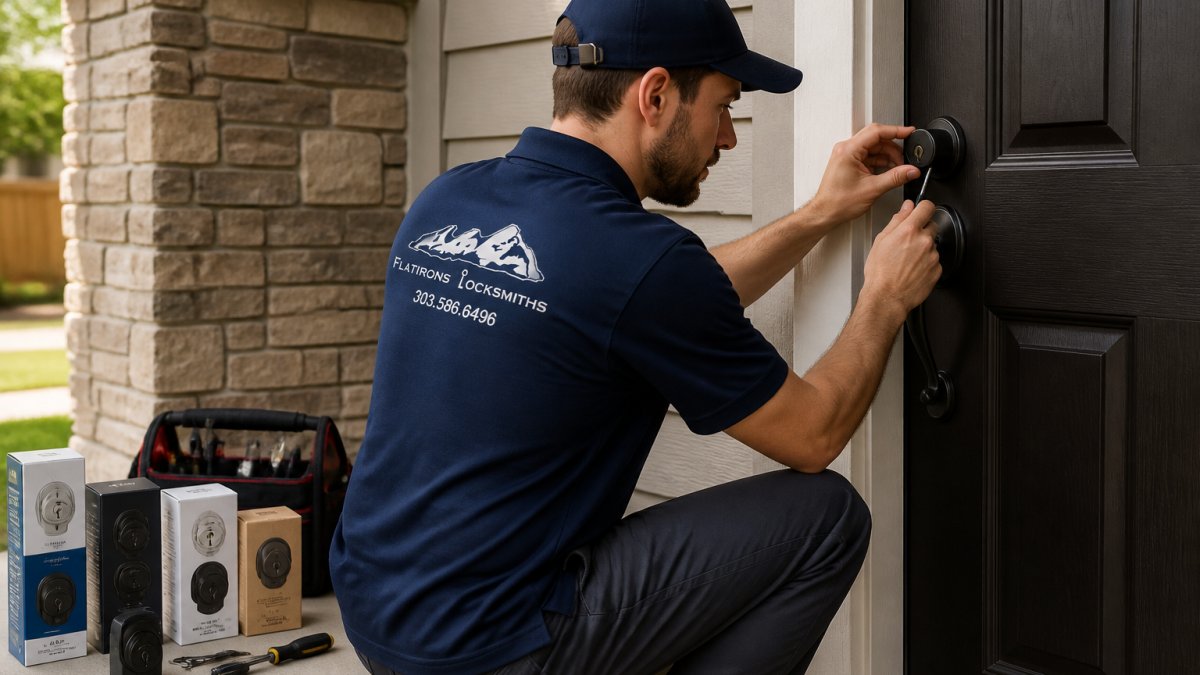
Our picks lean on the ANSI/BHMA grading standards for door hardware, which rate residential locks Grade 3 (basic), Grade 2 (better), and Grade 1 (best).
Our Selection Criteria
We scored every candidate on five weighted factors:
- Certified security rating (highest weight). We prioritized locks with a stated ANSI/BHMA grade, and we favored Grade 1 and Grade 2 hardware. A lock without a published grade was scored lower, not treated as neutral.
- Installation and retrofit compatibility. We checked door thickness range, backset, bore size, and whether the lock reuses a standard deadbolt prep or requires new holes.
- Everyday usability. Keypad legibility, motor speed and noise, app reliability, and how easy it is to add or revoke a code for a guest.
- Smart-home integration and cybersecurity. Built-in Wi-Fi versus a required hub, app two-factor authentication, firmware update support, and what happens when the battery dies or Wi-Fi drops.
- Total cost of ownership. Purchase price plus batteries, hubs, subscriptions, replacement parts, and installation.
What Counts as Evidence Here
We separate three kinds of claims:
- Certified ratings: Grades and standards published by the manufacturer and tied to an independent testing body. These are the strongest evidence.
- Hands-on installation experience: What we see when we fit a lock to a real door, including fit issues, finish wear, and callbacks. Useful, but specific to the doors we work on.
- Manufacturer and reviewer claims: Marketing copy and third-party reviews. We cite these as claims, not as verified results, and we flag when a price or spec varies by retailer.
Where we have not independently tested a lock, or where a price varies by seller, we say so. A ranking is only useful if you know what is behind it.
Why Five, and Why These Five
We limited the list to five so each pick has to justify its place. The set covers the main ways homeowners buy: a smart lock for most front doors, a Wi-Fi deadbolt for remote access, a Grade 1 deadbolt for maximum mechanical security, a high-security lock for forced-entry resistance, and a budget-friendly smart lock.
Before you buy any lock on this list, measure your door thickness, backset, and bore size, and check the ANSI/BHMA grade on the spec sheet. Those three data points will eliminate most wrong purchases before they happen.
Quick Comparison: Top 5 Residential Door Locks
Here is how the five best residential door locks for 2026 compare at a glance.
| Lock | Type | Best For | Standout Feature |
|---|---|---|---|
| Yale Assure Lock 2 | Smart keypad | Front doors | Built-in Wi-Fi |
| Schlage Encode Plus | Smart Wi-Fi deadbolt | Remote access | Connected deadbolt |
| Schlage B60N | Conventional deadbolt | Max security | Grade 1 rating |
| Medeco Maxum | High-security | Forced-entry resistance | Anti-pick design |
| Kwikset Halo Touch | Smart lock | Budget buyers | Touch-to-unlock |
1. Yale Assure Lock 2: Best Smart Lock for Front Doors
The Yale Assure Lock 2 is our top pick for most front doors. The keypad model includes built-in Wi-Fi, so you get remote access and app control without a separate bridge. Yale lists it starting around $240, and reviewers praise its fast, quiet hardware and wide deadbolt compatibility.
Pros and Cons
Pros:
- Built-in Wi-Fi on the keypad model
- Fast, quiet motor
- Fits most standard deadbolt prep
Cons:
- Model-by-model compatibility varies, so check your door before buying
Pricing and Installation Notes
Expect to pay around $240 for the Wi-Fi keypad version. Installation is a straightforward retrofit if your door already has a deadbolt bore.
2. Schlage Encode Plus: Best Wi-Fi Deadbolt for Remote Access
The Schlage Encode Plus is the pick when remote access matters most. Wi-Fi is built into the deadbolt itself, so you can lock, unlock, and issue user codes from your phone without extra hardware. It appears on multiple best-of lists, including Wirecutter’s smart lock coverage.
Pros and Cons
Pros:
- Wi-Fi included, no hub required
- Backed by an established lock brand
Cons:
- Pricing and specs vary by retailer, so confirm before you buy
Pricing and Installation Notes
Pricing is not fixed across sellers. It replaces a standard deadbolt, so installation is simple for most homeowners.
3. Schlage B60N: Best Conventional Deadbolt for Security
If you want maximum lock strength without an app, the Schlage B60N is the answer. A locksmith guide names it a best overall pick and rates it Grade 1, the top residential security rating. No keypad, no battery, no digital surface to worry about.
Pros and Cons
Pros:
- Grade 1 security rating
- No batteries or connectivity to fail
Cons:
- No smart features, keypad, or remote access
Pricing and Installation Notes
It swaps into a standard deadbolt bore. A reinforced strike plate and long screws add to forced-entry resistance.
On any deadbolt, upgrade the strike plate to a heavy-duty version and use 3-inch screws. The lock is only as strong as the frame it anchors into.
4. Medeco Maxum: Best High-Security Lock for Forced Entry Resistance
The Medeco Maxum is built for homeowners who want the strongest residential door locks available. It offers anti-pick protection and hardened components that resist drilling and prying. If your entry door is a first line of defense, this is the upgrade.
Pros and Cons
Pros:
- Designed specifically for high-security resistance
- Strong anti-pick and anti-drill construction
Cons:
- Higher cost, and key blanks are restricted
Pricing and Installation Notes
High-security locks cost more and often require a locksmith to cut keys. Flatirons Locksmiths installs and services this class of hardware.
5. Kwikset Halo Touch: Best Budget-Friendly Smart Lock
The Kwikset Halo Touch brings smart features to a lower price point. CNET lists it at $179, though it notes that price is a bit high for what you get. The touch-to-unlock keypad means no fumbling for a key, and Kwikset is a widely recognized brand.
Pros and Cons
Pros:
- Touch-to-unlock convenience
- Recognized brand with wide availability
Cons:
- Reviewers consider the price steep for the feature set
Pricing and Installation Notes
At $179, it is the most affordable smart lock here. It retrofits onto a standard deadbolt prep.
Smart Lock vs Deadbolt: Which Is Right for Your Home?
Most buyers frame this as convenience versus strength, but the real decision comes down to three measurable things: the lock’s certified security grade, how it behaves when power or Wi-Fi fails, and whether your door can accept it. Work through those three, and the choice usually makes itself.
Start With the Security Grade, Not the Feature List
Under the ANSI/BHMA A156.5 standard for auxiliary locks, residential deadbolts are graded Grade 3 (basic), Grade 2 (better), and Grade 1 (best), based on cycles, bolt strength, and resistance to impacts and forced entry.
When you compare models, look for the grade on the packaging or the manufacturer’s spec sheet rather than a marketing phrase like “heavy duty.” If a listing does not state a grade, treat that as a missing data point, not a neutral one.
Cylinder and Bolt Construction: What Actually Resists an Attack
Forced entry rarely defeats the cylinder first. It defeats the door frame. A deadbolt is only as strong as the strike plate and screws holding it, which is why a heavy-duty strike plate and 3-inch screws that reach the framing stud are the highest-return upgrade on almost any entry door.
On the cylinder side, the meaningful differences are anti-pick and anti-drill features. Standard pin-tumbler cylinders can be picked or bumped; higher-security cylinders use rotating pins, hardened inserts, or restricted keyways that make both harder.
Smart-Lock Cybersecurity and Offline Behavior
A smart lock adds a digital surface a mechanical deadbolt does not have, so ask specific questions before buying:
- Encryption: Does the lock encrypt communication between the app, the lock, and any cloud service? Look for stated encryption rather than assuming it.
- Account security: Does the app support two-factor authentication? A lock is only as private as the account that controls it.
- Update support: Does the manufacturer publish firmware updates, and how long will it support this model? An unpatched lock is a long-term liability.
A mechanical deadbolt has none of these concerns: no connectivity to exploit, no firmware to update, no battery to die. That reliability is a genuine security feature.
Compatibility and Installation Checklist
Before buying either type, verify these against your actual door:
- Door thickness: Most residential locks fit 1-3/8 inch to 1-3/4 inch doors. Thicker or thinner doors need specific hardware.
- Backset: Measure from the door edge to the center of the bore hole. The common residential backset is 2-3/8 inches or 2-3/4 inches; confirm which yours is.
- Bore hole size: Standard deadbolt prep is a 2-1/8 inch crossbore with a 1 inch edge bore. A lock that does not match means drilling or a different model.
Total Cost of Ownership
Purchase price is only the first cost. Add batteries (smart locks typically run on AA cells and may need replacement more often with heavy use), a hub or bridge if required, any cloud subscription, replacement parts, and installation if you hire it out. A cheaper smart lock with a required hub and frequent battery changes can cost more over several years than a higher-priced model with built-in Wi-Fi.
Accessibility, Household Sharing, and Emergency Access
This is where smart locks earn their place. Temporary codes let you give a contractor or dog walker access for a set window and revoke it afterward.
For children and older adults, a keypad code can be easier than a key that gets lost or forgotten, but the code has to be memorable and the keypad readable.
Choose a smart lock when shared access, remote control, and temporary codes matter most, and accept that you are trading some mechanical strength and adding a digital surface to maintain. Choose a Grade 1 mechanical deadbolt when forced-entry resistance and zero maintenance top your list. Either way, upgrade the strike plate and screws, and confirm your door’s thickness, backset, and bore before you buy.
Frequently Asked Questions
Who makes the best residential door locks?
There is no single best brand, but several manufacturers consistently earn recommendations. Schlage is widely cited for both conventional deadbolts like the B60N and smart options like the Encode Plus. Yale and Kwikset appear frequently in smart-lock roundups. Medeco is named specifically for high-security needs. The right brand depends on whether you prioritize smart features, forced-entry resistance, or budget. A locksmith can help you match a brand to your door type and security goals.
Which door lock is the most secure?
Security depends on more than the lock cylinder. A Grade 1 deadbolt with a reinforced strike plate and a solid wood or metal door frame offers the strongest resistance to forced entry. High-security locks like the Medeco Maxum add anti-pick and anti-drill features. Smart locks can be equally secure if they meet the same mechanical standards and offer offline operation. The installation quality matters as much as the lock itself, so professional fitting is worth considering.
Are smart locks as secure as traditional deadbolts?
A well-made smart lock can match a traditional deadbolt for physical security if it carries the same ANSI/BHMA grade. The difference is digital: smart locks add attack surfaces like Wi-Fi and app access. Choosing a model with offline operation, encrypted communication, and a physical key backup reduces that risk. For many homeowners, the convenience of keyless entry and remote access outweighs the added complexity, provided the lock is installed correctly.
Should I replace or rekey my door locks?
Rekeying is usually the faster and less expensive option when the lock hardware is in good condition and you simply want old keys to stop working. Replacement makes more sense if the lock is damaged, you want to upgrade to a smart lock, or you need a higher security rating. A locksmith can rekey most standard deadbolts and knobs on site and will tell you if replacement is the better path.
How often should residential door locks be maintained?
Locks should be checked at least once a year for smooth operation, loose screws, and wear on the keyway. In high-traffic homes or rental properties, every six months is safer. Signs that maintenance is overdue include a sticky key, a deadbolt that does not fully extend, or a keypad that responds slowly. Lubricating the cylinder with a graphite or silicone-based product and tightening the strike plate screws can prevent most common failures.