
Table of Contents
- Why Small Warehouses Need Commercial Access Control
- Key Components of a Warehouse Security System
- Cloud-Based Access Control for Small Business: Is It Right for You?
- Warehouse Security Best Practices for High-Turnover Teams
- Access Control System Installation Cost: What to Expect
- How to Choose the Right System for Your Facility
- Conclusion
- Frequently Asked Questions
Last Updated: September 24, 2026
Why Small Warehouses Need Commercial Access Control
Commercial access control for small warehouse operations is the practice of managing who enters your facility, when they enter, and what they can reach once inside, using electronic credentials, door hardware, and software that records every movement, and commercial access control for small warehouse teams starts with that same audit trail. A small warehouse often holds high-value inventory but runs lean on staff, which makes uncontrolled entry points a direct path to loss.
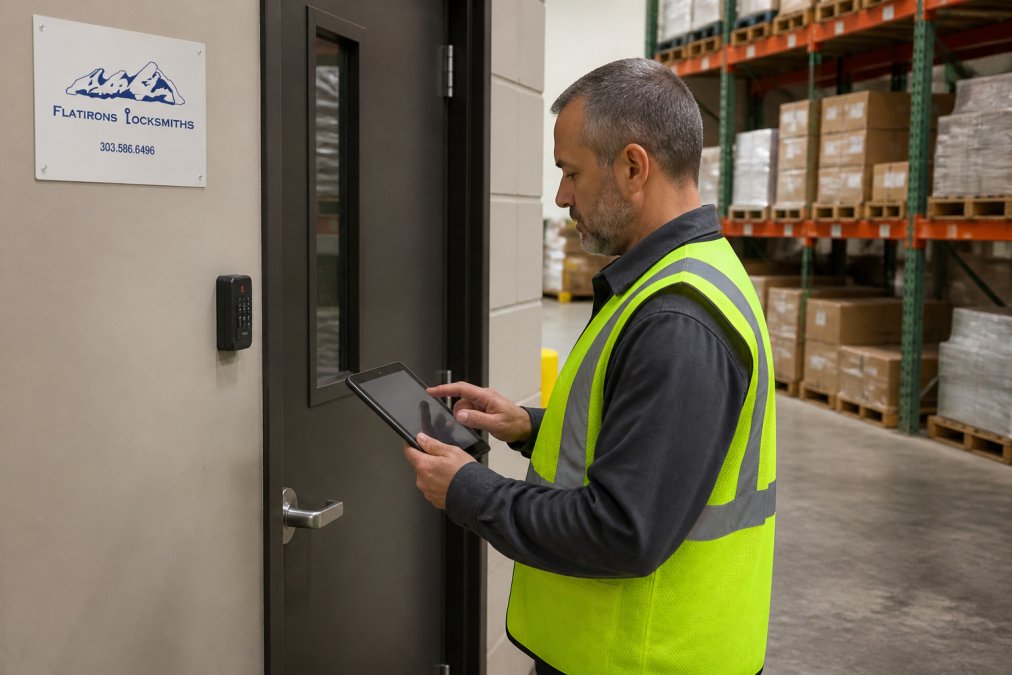
The real problem isn’t theft by strangers. It’s the daily ambiguity: a driver props the back door, a temp uses a former employee’s key fob, and nobody can reconstruct who was on the floor last Tuesday. Flatirons Locksmiths has worked commercial jobs across the north metro area since 2012, and the pattern repeats: small facilities delay access control until an incident forces the issue.
Below, we break down the components, costs, and decisions that matter, plus the two angles most guides skip entirely: shrinkage prevention and warehouse management system integration.
The Real Cost of Inventory Shrinkage
Shrinkage is the gap between what your records say you have and what’s physically on the shelf. In a small warehouse, that gap usually traces to three sources: unauthorized removal, paperwork errors during receiving, and damage that never gets logged.
Many operators assume shrinkage requires a dramatic fix, like cameras in every aisle. A common approach is narrower: lock the entry points, log every credential use, and cross-reference access logs against inventory counts. When a discrepancy appears, you can see who had access during that window.
That audit trail is the real product. Electronic locks and door controllers generate timestamps automatically, which turns a vague suspicion into a documented pattern.
Key Components of a Warehouse Security System
A complete system has five working parts, and skipping any one leaves a gap an intruder or a careless employee will eventually find.
- Credentials: proximity cards, key fobs, mobile credentials, or biometric authentication. Each identifies a specific person rather than a shared key.
- Readers and door hardware: card readers paired with electric strikes or magnetic locks. The reader decides; the hardware enforces.
- Door controllers: the panel that validates a credential and triggers the lock. This is the brain between reader and door.
- Management software: where you assign user permissions, set schedules, and pull access logs. Cloud-based access control puts this in a browser; on-premise keeps it on a local server.
- Monitoring and alerts: real-time monitoring flags forced doors, held-open doors, and after-hours entries.
One detail to consider: fail-safe and fail-secure are not interchangeable.
Cloud-Based Access Control for Small Business: Is It Right for You?
Cloud-based access control for small business is usually the better fit, because it moves credential management and audit trail storage off-site and lets you revoke access from a phone. For a warehouse with high staff turnover, that speed matters more than almost any hardware feature.
|
Factor |
Cloud-Based |
On-Premise |
|---|---|---|
|
Upfront hardware cost |
Lower |
Higher |
|
Ongoing cost |
Subscription |
Maintenance and IT time |
|
Remote management |
Native |
Requires network setup |
|
Works during outage |
Local caching only |
Fully local |
|
Best for |
Small teams, multiple sites |
Strict data-control needs |
Warehouse Security Best Practices for High-Turnover Teams
High turnover breaks access control faster than any intruder. When someone leaves and their credential stays active, you’ve handed a key to a stranger.
Other practices that hold up:
- Separate entry permissions by zone: receiving, storage, and shipping
- Require multi-factor authentication for after-hours entry
- Review access logs weekly for anomalies, not just after an incident
- Use visitor management for contractors and drivers, with time-limited credentials
- Test every fail-safe exit monthly
Mobile Credentials and other Integrations
Mobile credentials replace the fob with a phone, which removes the lost-fob problem and lets you issue or revoke access instantly. For a warehouse with seasonal labor, that’s a real operational gain: onboarding takes minutes instead of a trip to the key machine.
Access Control System Installation Cost: What to Expect
- Reader and credential hardware: proximity or mobile-capable readers depend on form factor and whether they support NFC and Bluetooth.
- Door hardware: electric strikes for hollow-metal doors sit at the low end; mag locks, request-to-exit devices, and door position switches add cost. Roll-up and glass doors usually need custom brackets and sometimes a different locking method entirely.
- Controller and power: a single-door controller is inexpensive, but most small warehouses are better served by a 2- or 4-door panel so you are not buying a new brain every time you add a door.
- Wiring and labor: if low-voltage cable already runs to the door, labor drops sharply. If you need new runs through a warehouse ceiling, expect that to be the largest single line item.
- Software: cloud subscriptions are typically billed per door per month; on-premise is a one-time license plus the server and IT time to maintain it.
The mistake to avoid is buying hardware first and designing later. Map your entry points, zones, and exit requirements before you price anything, otherwise you end up paying for a controller that cannot handle the doors you actually need, or for readers that do not support the credentials your team will use.
NFPA 101 Life Safety Code overview
How to Choose the Right System for Your Facility
Start with these questions, in this order:
- How many doors need control, and which are true perimeter? A small warehouse usually has one main entry, one receiving door, one shipping door, and a handful of interior doors. Control the perimeter and the receiving door first; interior zones are a second phase.
- What is your annual turnover? If you cycle through seasonal labor, mobile credentials pay for themselves quickly because onboarding and offboarding happen in software instead of at a key machine. If your team is stable, proximity cards are cheaper and just as effective.
- Do you have fail-safe exit requirements? This is not optional. Any door on a designated means of egress must unlock on power loss and on fire alarm. Confirm this before you choose hardware, not after.
- Do you want to track movement through your facility? Is it important to know who has access what and when? Do you need this backed up with time stamped video? Do you get a lot of visitors or temporary workers? These questions any many others that may be more specific to your particular needs are some of the questions to ask and add into your overall plan for you system design.
- Do you have any other requirements or even just wants? Will you now or in the future want to integrate cameras, intrusion detection, guest management, employee management etc.
Flatirons Locksmiths installs and services access control, alarm systems, and camera systems for commercial properties, which means the door hardware, the credentials, and the surveillance can be planned as one system rather than three disconnected purchases.
Conclusion
The hard part of warehouse security isn’t picking hardware. It’s building a process that survives turnover, keeps an accurate audit trail, and connects your access data to your security protocols so you can track what is really going on in real time.
Frequently Asked Questions
What is the best access control system for a small warehouse?
The best system depends on your entry points and staff size. Cloud-based systems with mobile credentials work well for small warehouses because they allow remote management and easy permission changes. Look for a system that supports audit trails, integrates with your existing cameras, and can scale as you grow. A professional site assessment helps match the right hardware to your doors and layout.
How do I secure a small warehouse on a budget?
Start with your highest-risk entry points, such as the main office door and loading dock. A commercial access control system with key fobs or proximity cards on those doors delivers immediate control without wiring every entrance. Pair it with an audit trail to track who enters and when. Phased installation keeps upfront costs manageable while improving security where it matters most.
Are cloud-based access control systems better for small warehouses?
Cloud-based access control for small business offers remote management, automatic software updates, and no on-site server to maintain. That suits small warehouses with limited IT staff. On-premise systems can work if you have stable infrastructure and prefer local data storage. For most small facilities, cloud systems provide better scalability and lower long-term maintenance.
What factors affect access control system installation cost?
Access control system installation cost depends on the number of doors, the type of credentials you choose, whether you need new wiring or can use existing infrastructure, and whether you select cloud or on-premise software. Older doors may need electric strikes or magnetic locks added. A site survey from a licensed installer gives you an accurate quote based on your specific building.
Can access control integrate with my warehouse management system?
Some access control platforms offer API integrations with warehouse management systems, letting you tie user permissions to scheduling or HR data. This means when an employee is terminated in your WMS, their access can be revoked automatically. Not all systems support this, so confirm integration options before purchasing. It reduces the risk of former staff retaining entry credentials.
How does access control help prevent inventory shrinkage?
Access control limits entry to authorized personnel and creates an audit trail of every door event. When you know who entered the warehouse and when, investigating missing inventory becomes faster. Restricting high-value storage areas to specific staff reduces opportunity for theft. Combining access logs with video surveillance gives you a clear picture of activity around sensitive zones.