
Table of Contents
- Why Your Alarm Goes Off for No Reason
- Common Causes of Security System False Alarms
- Step 1: Check the Low Battery Indicator
- Step 2: Clean and Realign Motion Detectors
- Step 3: Inspect Door and Window Sensors
- Step 4: How to Reset Home Alarm System After a False Trigger
- Residential Security System Maintenance Tips to Prevent Future False Alarms
- When to Call a Professional for False Alarm Fixes
- Frequently Asked Questions
Last Updated: September 9, 2026
Why Your Alarm Goes Off for No Reason
A security system that triggers randomly destroys trust in the very equipment meant to protect your home. When your alarm sounds at 3:00 AM for a shadow on the wall, you stop treating it as a warning and start treating it as a nuisance. That is a dangerous shift, because the one time you ignore it might be the time it matters.
False alarm system triggers are rarely random. In nearly every case, a specific, identifiable cause is at work: a dying battery, a misaligned sensor, or an environmental factor you haven’t considered. Most homeowners can resolve these issues in under an hour without replacing any equipment.
This guide walks through the most common causes, then gives you a step-by-step process to troubleshoot false alarm system triggers on your own. You’ll learn how to check batteries, clean motion detectors, inspect door and window sensors, and reset your panel after an event. We’ll also cover when a DIY fix stops making sense and you should call a professional.
The goal is straightforward: stop the nuisance alarms, restore your confidence in the system, and keep your home actually secure. Below, we show you exactly how to diagnose each trigger type, starting with the culprits you should suspect first.
Common Causes of Security System False Alarms
Most false alarm system triggers fall into one of six categories. Understanding which one applies to you cuts your diagnostic time dramatically.
| Common Cause | Typical Sign | Quick Fix |
|---|---|---|
| Low backup battery | Beeping keypad, intermittent triggers | Replace battery |
| Misaligned motion detector | Triggers at specific times of day | Clean lens, adjust position |
| Loose door/window sensor | Alarm when doors are closed | Realign magnet, tighten mount |
| Pet movement | Triggers when pet passes detector | Adjust sensitivity or zone |
| Dust or insects in detector | Frequent random triggers | Vacuum interior, clean lens |
| Operator error | Alarm after arming/disarming | Review keypad sequence, check delay |
Environmental interference plays a larger role than most people expect. Dust accumulation inside a motion detector scatters the infrared beam, creating false positives (nist.gov). Insects crawling across the lens do the same. Drafts from HVAC vents can move curtains or plants into the detector’s field of view, and direct sunlight heating a sensor can mimic a body’s heat signature.
Electrical surges from lightning or power fluctuations can corrupt the panel’s memory, causing erratic behavior until a full system reset. And aging hardware simply wears out: sensors have a service life, and components degrade over time.
Do not disable a zone permanently to stop nuisance alarms. Bypassing a sensor that protects an entry point leaves your home vulnerable, and many monitoring contracts penalize repeated false dispatches. Fix the root cause instead.
Step 1: Check the Low Battery Indicator
The low battery indicator is the single most common cause of false alarm system triggers, and it’s also the easiest to fix. When a sensor’s battery drops below the voltage threshold, the system interprets the weak signal as a fault and triggers an alarm.
Start at the keypad or control panel. Most systems display a trouble light or a low battery icon when a sensor is failing. If your panel has a diagnostic mode, use it to identify which specific zone is reporting the fault. Write down the zone number before you climb a ladder.
Sensors typically use small lithium or alkaline batteries. Open the sensor housing, remove the old battery, and replace it with the exact type specified in your system’s manual. While the cover is off, check the tamper switch: if the housing isn’t seated correctly, the tamper switch triggers an alarm every time the cover shifts slightly.
Replace batteries in all sensors at the same time, not just the one reporting low power. Sensors on the same circuit tend to fail within weeks of each other, and staggering replacements means more false triggers down the road.
A common mistake is replacing the battery but skipping the system reset. After a battery change, many panels require you to clear the fault from memory. Walk through the sensor to confirm it reports a clean status before you consider the fix complete.
Step 2: Clean and Realign Motion Detectors
Motion detectors are the most sensitive components in a security system, and they generate the most false alarm system triggers when neglected. The passive infrared sensor inside detects changes in heat signatures across its field of view, so anything that alters that view creates a trigger.
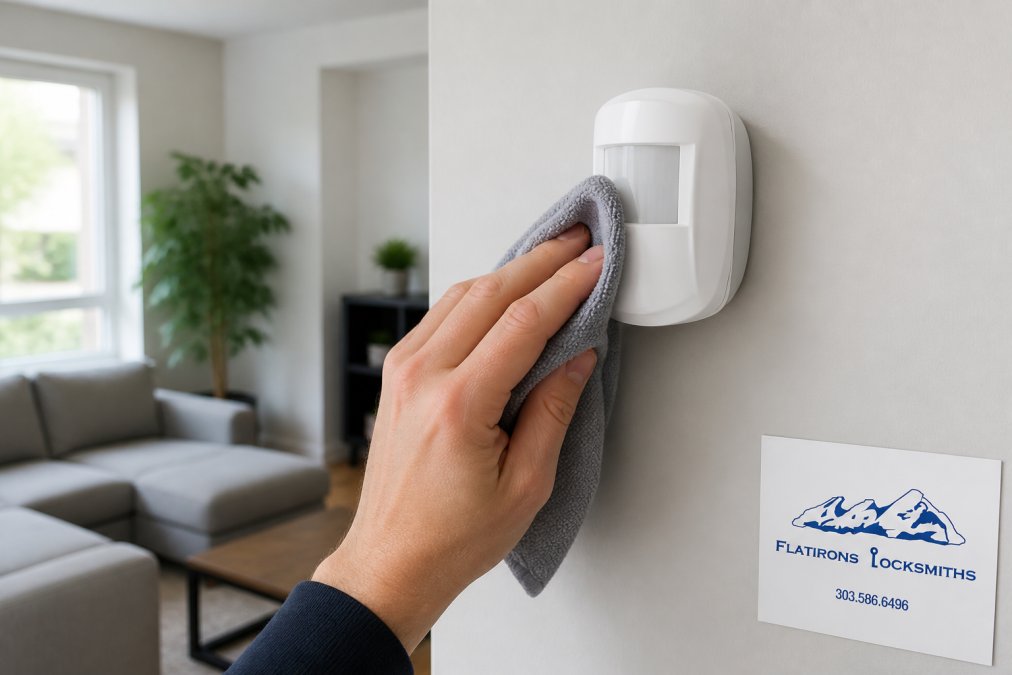
Begin by turning off the detector’s zone through your panel’s diagnostic mode. Remove the cover and inspect the interior. Dust accumulation on the lens or the sensor element itself scatters the infrared beam, so use a dry microfiber cloth to gently wipe both surfaces. Never use liquid cleaners; they leave residue that attracts more dust.
Vacuum the interior housing to remove insects, spider webs, and debris. Check the mounting bracket for looseness. A detector that has shifted even a few degrees can now see through a window, where passing cars or pedestrians trigger it. A detector that has tilted downward can catch a pet that previously stayed below its field of view.
Realign the detector to its original position, then confirm the zone is clear of moving objects. Keep furniture, plants, and decorations at least three feet from the unit. If you have pets, check whether your detector supports pet immunity, a feature that ignores heat signatures below a certain weight threshold.
Dust, insects, and slight shifts in mounting angle cause the majority of motion detector false triggers. A thorough cleaning and realignment resolves most of them without any parts replacement.
Step 3: Inspect Door and Window Sensors
Door and window sensors fail differently than motion detectors, and the troubleshooting steps reflect that. These sensors use a magnetic reed switch: a magnet mounted on the moving part and a switch on the frame. When the magnet moves away, the switch opens and the alarm triggers.
A false alarm system trigger from a door or window sensor almost always means the two halves are separating when they shouldn’t. Check the gap between the magnet and the switch. If the door has warped, the hinges have loosened, or the frame has shifted, the gap widens enough to trip the sensor even when the door appears closed.
Tighten the mounting screws on both halves. Verify that the magnet and switch are aligned with each other, not just level with the floor. Many sensors tolerate a gap of up to one inch, but the alignment must be parallel. If the door itself is the problem, adjusting the strike plate or hinge may restore proper alignment.
Inspect the wiring on hardwired sensors. Look for frayed insulation, loose terminals, or damage from a recent door installation. Wiring integrity matters: a short in the sensor cable creates intermittent faults that are difficult to diagnose without a multimeter. Check the tamper switch on the sensor housing as well, since a loose cover triggers the same alarm as an open door.
Step 4: How to Reset Home Alarm System After a False Trigger
Once you have identified and corrected the cause, you need to clear the alarm from the system’s memory. Knowing how to reset home alarm system panels correctly prevents a second trigger the moment you rearm.
The reset process varies by manufacturer, but the general sequence is consistent:
- Enter your master code at the keypad to disarm the system
- Press the “Reset” or “Clear” button to acknowledge the alarm event
- Check for a trouble light indicating a remaining fault
- Walk through each zone to confirm sensors report a closed status
- Re-arm the system and wait 60 seconds to confirm no new alarm
For systems connected to professional monitoring, call the monitoring station after a false trigger to confirm it was an error. Many municipalities track false dispatch calls, and repeated incidents can result in fines (usfa.fema.gov). Some jurisdictions require a permit for alarm systems, and false alarms may carry penalties after a threshold number of events.
If the system will not reset, check the main power supply and the backup battery. A panel running on backup power alone may lack the voltage to properly clear faults. Power-cycle the system by unplugging the transformer and disconnecting the battery for 30 seconds, then reconnect in reverse order.
Power-cycling the panel clears the fault memory but also resets your programmed settings to defaults in some systems. Write down your zone configurations and entry delays before you disconnect power, or you may need to reprogram the entire panel.
Residential Security System Maintenance Tips to Prevent Future False Alarms
Prevention beats troubleshooting, and a consistent maintenance schedule eliminates most residential security system false alarms before they start. Set aside 30 minutes each season for a full system check.
- Test every sensor by triggering it manually and confirming the panel reports the correct zone
- Replace batteries in all wireless sensors annually, regardless of reported status
- Vacuum motion detector interiors and wipe lenses with a dry cloth
- Tighten mounting screws on all sensors and the control panel
- Trim vegetation near exterior sensors that could move in wind
- Confirm entry and exit delays are set to comfortable values for your household
Document every false trigger in a log. Note the date, time, zone, and weather conditions. Patterns emerge quickly: if triggers cluster on windy days, environmental factors are at play. If they cluster after a specific time of day, sunlight or HVAC cycles are the cause.
Periodic testing also catches aging hardware before it fails. Sensors have a finite service life, and components degrade. A sensor that tests inconsistently, sometimes reporting open and sometimes closed, is failing and should be replaced rather than adjusted.
Set a recurring calendar reminder for the first weekend of each season. Thirty minutes of preventive maintenance is far cheaper than a false dispatch fine or a failed security response.
When to Call a Professional for False Alarm Fixes
Some false alarm system triggers require equipment replacement or advanced diagnostics that go beyond homeowner troubleshooting. If you have cleaned sensors, replaced batteries, and confirmed alignment but the system still triggers randomly, the fault likely lives in the control panel or the wiring.
Faulty equipment, such as a failing control panel or a compromised sensor circuit, produces intermittent faults that are nearly impossible to trace without specialized testing tools. Electrical surges can damage the panel’s internal components in ways that survive a power-cycle reset. Aging hardware across multiple zones often signals that the system has reached the end of its reliable service life.
Signal loss in wireless systems presents another challenge. If sensors intermittently lose communication with the panel, the system may interpret the loss as a fault and trigger an alarm. Diagnosing wireless interference requires understanding the specific frequency and the building materials that block it.
A professional can also review your zone configuration and installation standards to identify issues you cannot see, such as a sensor mounted too close to a heat source or a detector aimed at a reflective surface. They carry replacement parts for common failure points and can test the full system under load.
Homeowners who have completed basic troubleshooting without results, or who want a full system inspection to verify every sensor and zone before relying on the alarm for protection.
False alarm system triggers are frustrating, but they are almost always traceable to a specific, fixable cause. Working through the steps in this guide, checking batteries, cleaning detectors, inspecting sensors, and resetting the panel, resolves the vast majority of nuisance alarms without new equipment. When the problem persists, or when you want a professional assessment of your entire security setup, the team at Flatirons Locksmiths can help. Serving the north metro Denver area since 2012, we provide mobile service at your location, upfront quotes before work begins, and expert support for alarm systems, access control, and commercial hardware. ALOA Security Professionals Association membership backs our work, and we carry authorized hardware lines including Hollon Safe Company and Emtek. Schedule an appointment and stop guessing why your alarm keeps going off.
Frequently Asked Questions
What triggers a false alarm?
The most common triggers are low batteries in sensors, loose door or window contacts, and motion detectors picking up pets, curtains moving from HVAC vents, or insects inside the unit. User error, like entering the wrong code or forgetting to disarm the system before opening a door, also causes many false alarms. Environmental factors like electrical surges or signal loss from the control panel can trigger them too.
Why does my house alarm randomly go off in the middle of the night?
Nocturnal false alarms often point to a failing backup battery in the control panel, a drop in sensor battery voltage as temperatures cool, or a motion detector’s sensor sensitivity being too high. Rodents or insects inside the detector housing can also cause random triggers. Check the low battery indicator on your keypad first. If it is clear, inspect motion sensors for drafts or small pests.
Can pets trigger a motion sensor alarm?
Yes. Standard motion detectors use infrared beams to sense heat and movement. A pet moving quickly across the room can create a signal the detector interprets as an intruder. Many systems offer pet immunity settings that adjust the sensor sensitivity to ignore animals under a certain weight, usually up to 80 pounds. If false triggers continue, ask your installer to reposition the detector or change its zone configuration.
When should I call a professional for alarm system maintenance?
Call a professional when basic troubleshooting steps like replacing batteries, cleaning sensors, and performing a system reset do not stop the false alarms. Persistent issues often point to aging hardware, wiring integrity problems, or a failing control panel. If your system is monitored, repeated false alarms can lead to fines from your local jurisdiction, so professional diagnosis is worth the cost to avoid those penalties.