
Table of Contents
- How Smart Locks Work and Why Security Matters
- Common Smart Lock Vulnerabilities and Hacking Attacks
- Smart Lock Security Features You Should Look For
- Smart Lock vs Traditional Deadbolt Security: What You Need to Know
- How to Prevent Smart Lock Hacking: Practical Steps
- Physical Bypass vs Digital Hacking: Understanding the Real Threat
- Making the Right Choice for Your Home Security
- Frequently Asked Questions
How Smart Locks Work and Why Security Matters
Smart locks use digital authentication, biometric scanners, PIN codes, mobile apps, and remote access, to control entry instead of relying solely on mechanical deadbolts. This offers convenience and flexibility, but digitizing a lock introduces new attack surfaces. Unlike traditional locks, which are primarily vulnerable to physical attacks, smart locks can be attacked remotely through weak passwords, unpatched firmware, compromised Wi-Fi networks, or poorly designed applications.
At Flatirons Locksmiths, we’ve spent over a decade installing and securing locks throughout the north metro Denver area. The question we hear most is: “Can someone hack a smart lock?” Yes, but so can traditional locks be compromised, the methods differ significantly. The real question is whether vulnerabilities matter for your situation and what steps you can take to mitigate them.
Common Smart Lock Vulnerabilities and Hacking Attacks
Smart locks face several categories of attacks, each with different technical requirements and real-world likelihood.
Brute force attacks target PIN codes or passwords by systematically trying thousands of combinations. Modern devices implement rate limiting and lockouts after failed attempts, making this largely theoretical for residential locks, though poorly designed systems may skip these safeguards.
Man-in-the-middle attacks intercept communication between your smartphone and the lock. If communication isn’t properly encrypted, an attacker positioned between your phone and lock could theoretically intercept and replay the unlock signal. This requires proximity and technical sophistication.
Firmware vulnerabilities are serious threats. If manufacturers don’t patch vulnerabilities quickly or you don’t install updates promptly, attackers can exploit known weaknesses, potentially gaining complete control of the device.
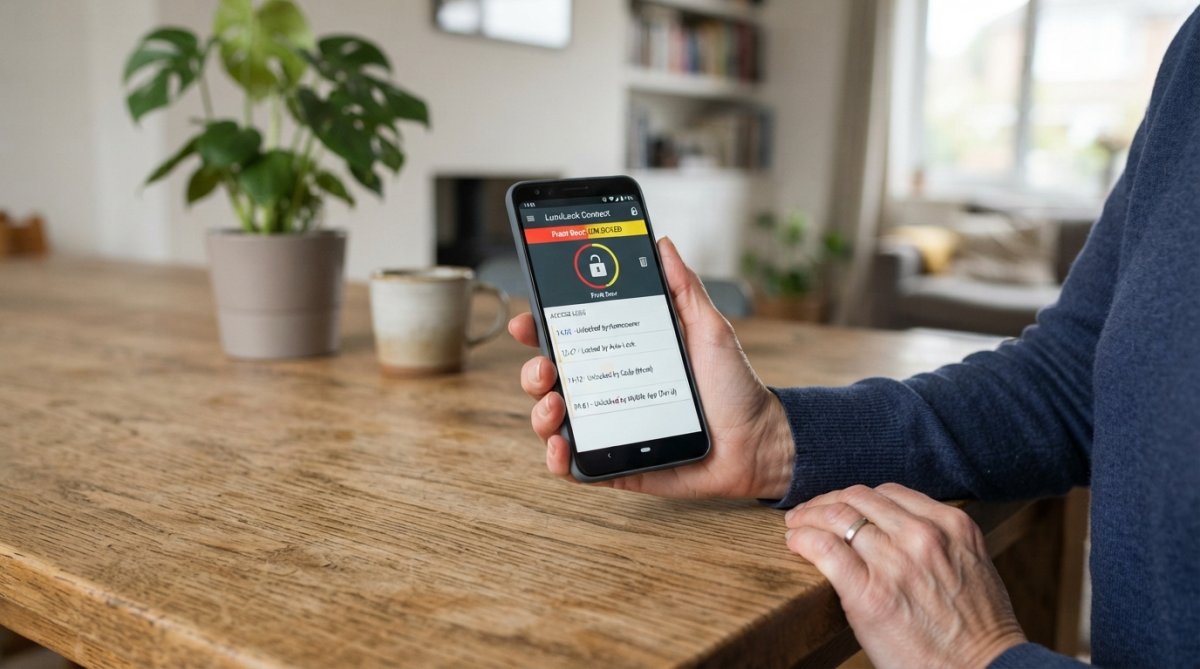
Wi-Fi and Bluetooth exploits target wireless protocols themselves. Bluetooth Low Energy has known vulnerabilities; an attacker within range could jam signals or exploit implementation weaknesses. Wi-Fi-connected locks face similar risks on unsecured networks.
Physical bypass attacks aren’t strictly “hacking,” but matter for security. Many smart locks retain mechanical keyholes as backup. An attacker who picks the mechanical lock gains entry regardless of digital security. Some locks can also be disabled by removing power.
Social engineering and credential theft target the weakest link: you. If tricked into revealing your PIN, password, or app credentials, an attacker can unlock your door without touching the lock.
Access log vulnerabilities create privacy and security risks. If logs aren’t encrypted or are stored insecurely, attackers can access them, learning your patterns and when you’re home.
The likelihood of each attack varies. Brute force on a modern lock with rate limiting is practically impossible. Firmware vulnerabilities are more realistic, especially if you ignore updates. Social engineering exploits human behavior rather than code and is perhaps most common.
Smart Lock Security Features You Should Look For
AES-128 encryption or stronger should be your baseline (nist.gov). This military-grade standard protects communication between your phone and lock. Anything weaker is a red flag.
Two-factor authentication adds a second verification step, preventing entry with a single compromised credential.
Biometric authentication (fingerprint or facial recognition) provides a third layer, though quality varies significantly.
Regular firmware updates are non-negotiable. Check the manufacturer’s track record before buying. A lock that stops receiving updates after two years is a liability.
Encrypted cloud storage for access logs protects your privacy. You should be able to view, manage, or delete your logs.
Offline access capability ensures you can still unlock your door if Wi-Fi fails. The best locks allow local Bluetooth access even without cloud connection.
Physical security standards matter. Look for locks meeting ANSI/BHMA Grade 1 ratings, the strongest standard.
Tamper alerts notify you if someone attempts to force, remove, or manipulate the lock.
The combination of encryption, two-factor authentication, regular updates, and physical standards creates a reasonably secure smart lock. No lock is unhackable, but these features make hacking substantially more difficult than picking a traditional deadbolt.
Smart Lock vs Traditional Deadbolt Security: What You Need to Know
Traditional deadbolts are vulnerable primarily to physical attacks: lock picking, bumping, drilling, or brute force with tools. These require physical presence and often considerable skill. A burglar using these methods is visible on your porch, and neighbors might notice. Traditional locks leave no digital trail.
Smart locks are vulnerable primarily to digital attacks: password cracking, man-in-the-middle interception, firmware exploitation, or social engineering. These can happen remotely, without the attacker visiting your property. However, modern smart locks with proper encryption make these attacks substantially harder than picking a traditional deadbolt.
For most homeowners, a well-configured smart lock can offer enhanced security compared to a traditional deadbolt in certain scenarios. It can be harder to bypass digitally than to pick physically. The real risk with smart locks isn’t hacking; it’s misconfiguration. A smart lock with a weak password, unpatched firmware, or connected to an unsecured network is genuinely vulnerable. A properly secured smart lock can be a very secure option.
How to Prevent Smart Lock Hacking: Practical Steps
Use a strong, unique password. Your smart lock password should be at least 16 characters, include uppercase and lowercase letters, numbers, and symbols, and differ from passwords used elsewhere (cisa.gov). Use a password manager to generate and store complex passwords.
Use a strong 5 or 6 digit PINs. If you are concerned about someone guessing your PIN then use a 5 or 6 digit PIN on your lock and it will make it virtually impossible to guess. Most people wouldn’t even know that it is more than 4 digits. 4 digits is very hard to guess anyway but add that extra digit or two and you are exponentially safer.
Enable two-factor authentication wherever offered. This requires a second verification step before anyone can unlock the door remotely.
Install security updates promptly. When the manufacturer releases firmware updates, install them within a week or two. Firmware updates often patch security vulnerabilities.
Secure your home Wi-Fi network. Change your Wi-Fi password from the default to something strong. Use WPA3 encryption if available (WPA2 is acceptable otherwise) (nist.gov). Disable WPS, which is vulnerable. Regularly check connected devices for unauthorized access.
Use a separate network for smart home devices. If your router supports it, create a guest network for smart locks and other IoT devices, isolating them from computers and personal data.
Manage access codes carefully. Change PIN codes regularly and don’t share them via text or email. Revoke access codes as soon as they’re no longer needed.
Monitor access logs regularly. Review logs weekly for unauthorized attempts or unrecognized entries.
Keep your smartphone secure. Use a strong PIN or biometric lock on your phone. Don’t install apps from untrusted sources. Keep your operating system updated.
Consider a backup mechanical lock. Having a way to physically access your home ensures entry if batteries die or Wi-Fi fails.
Choose locks from reputable manufacturers. Established manufacturers like Yale, Level Lock, and Schlage invest in security research and respond quickly to vulnerabilities. Avoid cheap, obscure brands that skip security features or never release patches.
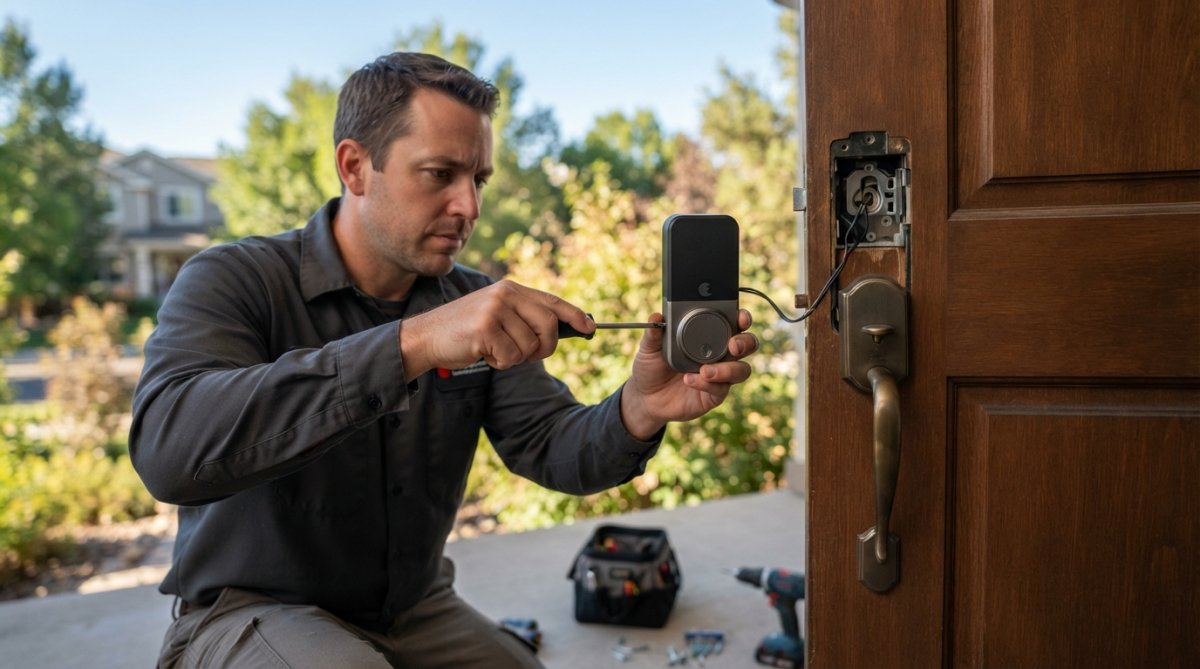
Person installing an electronic deadbolt on a residential front door, showing the device mounted on the door frame
Flatirons Locksmiths can help with several of these steps, including assessing your home Wi-Fi network and recommending secure models.
Physical Bypass vs Digital Hacking: Understanding the Real Threat
Physical bypass means defeating the lock’s mechanical components through lock picking, bumping, drilling, or prying. These methods work on both traditional and smart locks.
Digital hacking means compromising electronic components through password guessing, firmware exploitation, signal interception, or cloud account compromise. This works only on smart locks.
Most burglaries aren’t sophisticated. A burglar checking doors and windows is looking for fast, easy entry, not spending 20 minutes lock picking or attempting remote hacks. For this threat profile, a smart lock can be a more secure option. It can be faster and easier to pick a traditional deadbolt than to hack a modern smart lock with proper encryption and two-factor authentication.
For a targeted attack, the calculation differs. A determined attacker might use multiple methods, starting with digital hacking and resorting to physical bypass if that fails. But physical methods work on nearly any lock given enough time and tools.
The practical implication: a smart lock can protect against casual burglary and remote attacks, but doesn’t eliminate risk from a determined, physically present attacker. The best strategy combines smart lock security with other measures: good lighting, visible security cameras, alarm monitoring, and neighborhood awareness.
Making the Right Choice for Your Home Security
Install a smart lock if you value convenience, want remote access, need to grant temporary access to guests or service providers, or want detailed access logs. Smart locks excel at these use cases.
Install a smart lock if concerned about casual burglary. The digital security of a well-configured smart lock can be a strong deterrent.
Stick with a traditional deadbolt if you prioritize simplicity and don’t need remote access. A high-quality mechanical lock meeting ANSI/BHMA Grade 1 standards is reliable and requires no batteries or software updates.
Stick with a traditional deadbolt if concerned about network security and wanting to minimize your digital footprint.
Most homeowners benefit from a hybrid approach: a high-quality smart lock on the front door and a traditional deadbolt on side and back doors. Sometimes the garage door or a back door is the door you use the most so put the digital lock on the door you use most to enter the home.
When choosing a smart lock, prioritize security features over add-ons. AES-128 encryption, two-factor authentication, regular firmware updates, and ANSI/BHMA certification matter far more than voice control or smart home integration.
Flatirons Locksmiths can help you evaluate whether a smart lock is right for your situation, recommend secure models, and ensure proper installation and configuration. We provide upfront quotes and transparent recommendations with no pressure or upselling.
Smart locks are secure against hacking when properly selected and configured, but they require more active management than traditional locks. The vulnerabilities are manageable through strong passwords, two-factor authentication, regular updates, and network security. The right smart lock, installed correctly and maintained properly, is a genuinely secure addition to your home.
|
Security Feature |
Traditional Deadbolt |
Smart Lock (Well-Configured) |
|---|---|---|
|
Resistance to lock picking |
Moderate (5-15 min with tools) |
Moderate (with key override) |
|
Resistance to drilling |
Low |
Low |
|
Resistance to remote hacking |
N/A (no digital components) |
High (with AES-128 encryption) |
|
Resistance to brute force attack |
N/A |
High (with rate limiting) |
|
Convenience of access |
Low (physical key required) |
High (app, biometric, PIN) |
|
Requires software updates |
No |
Yes |
|
Vulnerability to network compromise |
No |
Yes (if poorly configured) |
|
Access logging capability |
No |
Yes |
|
Backup access method |
Key |
Key or mechanical override |
Frequently Asked Questions
Can smart locks be hacked remotely over Wi-Fi?
Yes, smart locks connected to Wi-Fi or Bluetooth can be vulnerable to remote attacks if security protocols are weak or firmware is outdated. Encryption standards like AES-128 protect data transmission, but vulnerabilities in the lock’s software, mobile application, or home network can create entry points for attackers. Using strong Wi-Fi passwords, enabling two-factor authentication, and keeping firmware updated significantly reduces this risk. Many modern smart locks use Bluetooth low energy, which has a shorter range than Wi-Fi, limiting remote access opportunities.
What security features should I look for in a smart lock?
Prioritize locks with military-grade encryption (AES-128 or higher), two-factor authentication, automatic firmware updates, and tamper alerts. Check for ANSI/BHMA certification, which indicates the lock meets physical security standards. Look for models offering encrypted access logs so you can monitor who enters and when. Biometric authentication (fingerprint or facial recognition) adds an extra layer beyond PIN codes. Consider locks that function mechanically even if the battery dies, and verify the manufacturer has a history of releasing regular security patches.
Are smart locks more secure than traditional deadbolts?
Smart locks and traditional deadbolts protect against different threats. Traditional deadbolts excel at preventing physical tampering and bypass attacks but offer no digital security. Smart locks provide keyless entry and remote access convenience, but introduce cybersecurity risks like brute force attacks, man-in-the-middle attacks, and firmware vulnerabilities. The best approach combines both: use a high-quality traditional deadbolt as your primary lock and add a smart lock for convenience and monitoring. This layered strategy protects against both physical and digital threats.
What are the most common ways smart locks get hacked?
Common attack vectors include brute force attacks on weak PIN codes, man-in-the-middle attacks intercepting communications between your phone and lock, firmware vulnerabilities that haven’t been patched, compromised mobile applications, and physical tampering with the lock’s electronic components. Attackers may also target your home network or cloud storage where access logs are stored. Weak Wi-Fi encryption, default passwords, and outdated firmware significantly increase vulnerability. Using unique strong passwords, enabling two-factor authentication, and keeping all devices updated mitigates most of these risks.
This article was written using GrandRanker