
Table of Contents
- Why Regular Maintenance Matters for Residential Security Systems
- Perform Regular System Testing and Communication Checks
- Security System Battery Replacement Frequency and Care
- Cleaning Sensors, Lenses, and Contact Points
- Home Alarm System Troubleshooting: Addressing False Alarms
- Firmware Updates and Software Maintenance
- Professional Alarm System Inspection and Preventative Care
- Wi-Fi Security and Smart Home Integration Maintenance
Last Updated: August 29, 2026
Why Regular Maintenance Matters for Residential Security Systems
A well-maintained security system provides reliable protection. At Flatirons Locksmiths, we’ve seen systems that worked perfectly during installation start failing silently months later, leaving gaps in coverage nobody noticed until too late.
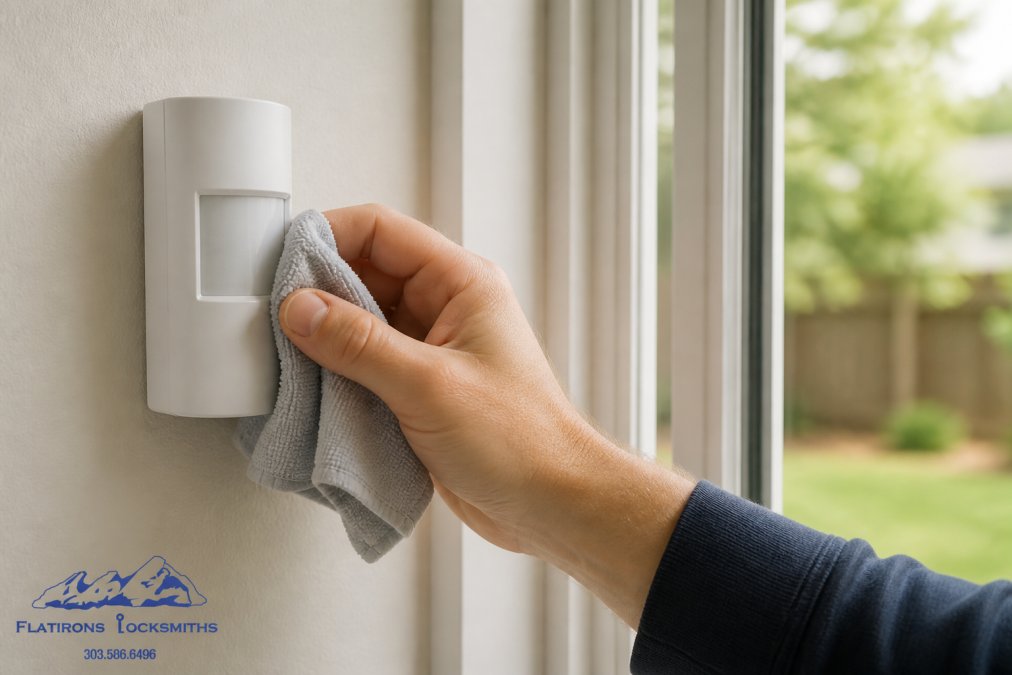
Security system maintenance is the backbone of consistent, dependable protection. Without regular attention, batteries drain, sensors drift out of calibration, firmware becomes outdated, and communication with your monitoring station can degrade without you knowing. These failures happen quietly, your system still looks fine, but the actual protection is already compromised.
A security system that doesn’t communicate with the monitoring station might as well not exist. Motion detectors that are misaligned will miss intruders. Door sensors caked with dust won’t register openings reliably. These silent failures are precisely what make them dangerous.
This guide covers everything you need to know about keeping your residential security system in peak condition: testing procedures, battery replacement schedules, sensor cleaning, troubleshooting common issues, and when to call a professional.
Perform Regular System Testing and Communication Checks
Testing is the only way to catch problems before they matter.
Testing Your Control Panel and Sensors
Enter test mode on your control panel, then trigger each sensor individually, open doors, walk in front of motion detectors, break the magnetic contact on window sensors. Watch the control panel register each event. If a sensor fails to register, you’ve found a problem that needs fixing now.
Test your system monthly on the same day each month so it becomes routine. Systems drift over time. Environmental factors change. Monthly testing catches degradation before it becomes a vulnerability.
Pay special attention to motion detectors. If one suddenly stops triggering during your test, the lens might need cleaning or the sensitivity adjustment may have drifted.
Create a spreadsheet to log your monthly tests. Record the date, which sensors you tested, and any anomalies. This history reveals patterns, if one motion detector fails consistently, you know exactly where to focus attention.
Verifying Monitoring Station Communication
Testing sensors means nothing if your monitoring station never receives the signal. Most monitoring companies allow you to schedule a communication test. During this test, your system sends a signal to the monitoring station without triggering an alarm. The station confirms receipt.
Schedule a communication test quarterly. If your system uses Wi-Fi or internet connectivity, test after any network changes. A system that can’t communicate is essentially offline, even though it looks active.
If a communication test fails, contact your monitoring company and system provider immediately. Don’t assume it will fix itself.
Security System Battery Replacement Frequency and Care
Every wireless component in your system runs on battery power. The control panel has a backup battery. Wireless door sensors, motion detectors, and keypads all depend on batteries. When batteries fail, those components go silent.
Understanding Battery Life and Backup Power
The backup battery in your control panel keeps the system armed and able to send alerts during power outages. This battery typically lasts three to five years (the CDC). Wireless sensor batteries last longer, typically five to seven years, because they transmit data less frequently (nist.gov).
Don’t wait until a low-battery warning appears. Mark your calendar and replace backup batteries every three to four years. For wireless sensors, replace batteries every five to six years, or sooner if you see low-battery alerts.
Use high-quality alkaline batteries recommended by your system manufacturer. Cheap batteries fail faster and sometimes leak, damaging the device.
Never ignore a low-battery warning from your control panel or wireless sensors. Replace the battery immediately, not “when you get around to it.”
Cleaning Sensors, Lenses, and Contact Points
Dirt, dust, and environmental buildup reduce sensor reliability. A motion detector covered in dust won’t detect motion reliably. A door sensor caked with lint might fail to register an opening.
Motion Detector and Door/Window Sensor Care
Motion detectors have infrared lenses that detect heat signatures. Over time, dust and cobwebs accumulate on the lens, reducing sensitivity and creating blind spots. Clean the lens gently with a soft, dry cloth every three months. If dust is stubborn, use a slightly damp cloth, but never spray liquid directly on the sensor.
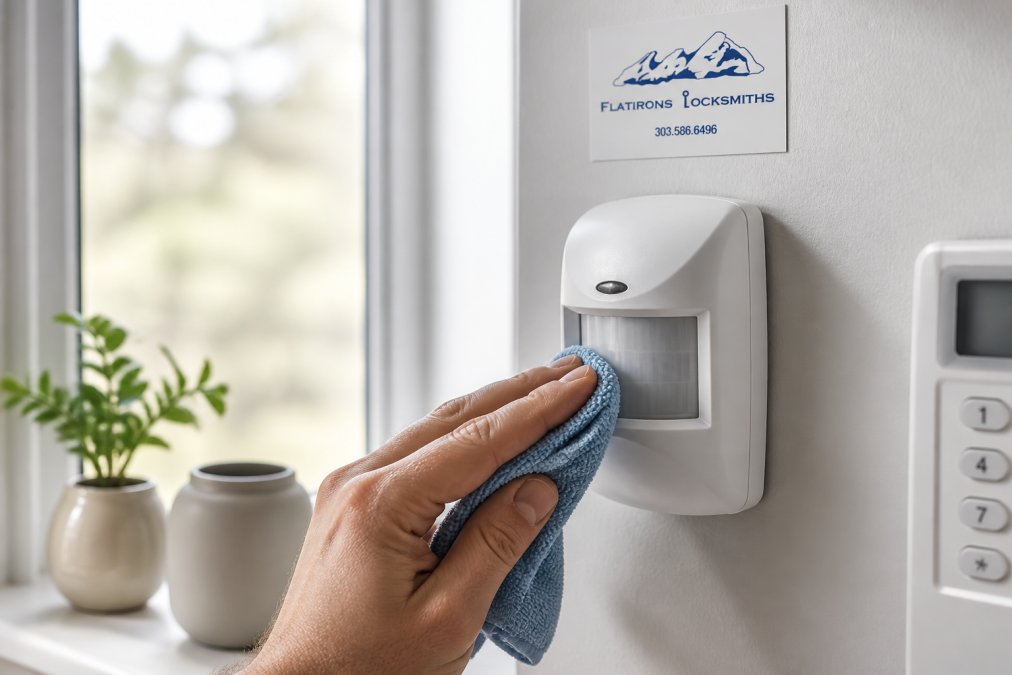
Door and window sensors have two components: a magnet on the door or window frame, and a contact sensor on the door or window itself. These must align precisely. Clean both components with a dry cloth and ensure proper alignment, even slight misalignment might prevent reliable registration.
Check battery compartments on wireless sensors while cleaning. Look for corrosion around battery terminals. If you see white or green corrosion, the battery has leaked. Clean the terminals gently with a dry cloth and replace the battery.
If your motion detector is positioned near a window where sunlight streams in, or near a heat source like a vent, it might trigger false alarms. Reposition the detector if possible, or adjust its sensitivity settings.
Contact sensors on doors and windows should be checked for proper mounting. If a door has warped slightly, the sensor and magnet might no longer align. Test the sensor during your monthly testing routine and adjust the mounting bracket if needed.
Home Alarm System Troubleshooting: Addressing False Alarms
False alarms are frustrating, expensive, and usually preventable with proper diagnosis and adjustment.
Common Causes of False Alarms
Motion detectors cause the majority of false alarms (peer-reviewed research). The detector triggers when it shouldn’t, usually because of environmental factors. Sunlight reflecting off a shiny surface, heat from a vent, or a pet moving quickly can trigger an overly sensitive detector.
Dust on motion detector lenses can also cause false alarms. A dirty lens might misinterpret dust particles or insects as motion. Regular cleaning prevents this.
Door and window sensors cause false alarms less often, but usually because the sensor and magnet have drifted out of alignment. A door that swells in humidity or a window that settles in its frame can throw off alignment just enough to cause intermittent false alarms.
Wireless sensor batteries running low can cause erratic behavior, including false triggers. Replace batteries on schedule, not on demand.
Steps to Diagnose and Fix the Problem
Start by identifying which sensor triggered the false alarm. Your control panel logs this information. Most false alarms come from the same sensor repeatedly, which narrows your focus.
If it’s a motion detector, start with cleaning. Remove dust from the lens, verify the detector is mounted securely and pointing correctly, and confirm it’s not positioned near sunlight or heat sources. If false alarms continue, adjust the sensitivity setting if your system allows it.
If it’s a door or window sensor, check alignment. Open and close the door or window slowly while watching the sensor. The magnet and sensor should stay perfectly aligned throughout. If they separate, adjust the mounting bracket.
For all sensors, check battery voltage. Replace batteries even if the low-battery warning hasn’t appeared yet.
Most false alarms trace back to dirty motion detector lenses, misaligned door/window sensors, or low batteries. Fix these three things and false alarms usually disappear.
If problems persist after cleaning, adjusting, and replacing batteries, contact your system provider. The sensor itself might be failing or there might be a control panel issue requiring professional adjustment.
Firmware Updates and Software Maintenance
Your security system’s control panel runs firmware that controls how the system operates. Manufacturers release firmware updates to fix bugs, improve performance, and patch security vulnerabilities. Ignoring updates leaves your system exposed to known problems.
Check your system manufacturer’s website monthly for firmware updates. Most modern systems allow you to update firmware through the control panel menu or mobile app. Follow the manufacturer’s instructions carefully. Updates usually take just a few minutes, and your system remains armed throughout.
Software updates matter for cybersecurity too. As hackers discover new ways to attack smart home systems, manufacturers release patches to close vulnerabilities. An outdated system is a vulnerable system. If your system connects to Wi-Fi or the internet, regular firmware updates are essential.
Keep your system login credentials secure. Use a strong password and change it periodically. Don’t share your system credentials with anyone who doesn’t need them.
Check your system’s network settings periodically. Verify that it’s connected to your home Wi-Fi network and not accidentally connected to a neighbor’s network or public network.
If you use a mobile app to control your system, keep the app updated. Developers release updates to fix security vulnerabilities.
Review which devices have access to your security system. Remove permissions for any devices you no longer use. Disable remote access features you don’t need, every active feature is a potential entry point for unauthorized access.
Monitor your system’s activity logs periodically for unexpected activity, false alarms you didn’t trigger, unexpected disarming, or unusual sensor activity.
If your system uses cloud storage for event logs or video, verify that the storage service uses strong encryption.
| Maintenance Task | Frequency | Purpose |
|---|---|---|
| System testing (sensors and control panel) | Monthly | Verify all components function properly |
| Communication test with monitoring station | Quarterly | Confirm monitoring station receives signals |
| Backup battery replacement | Every 3-4 years | Maintain emergency power capability |
| Wireless sensor battery replacement | Every 5-6 years | Prevent unexpected sensor failures |
| Motion detector lens cleaning | Every 3 months | Maintain sensor accuracy and reduce false alarms |
| Door/window sensor cleaning and alignment | Every 3 months | Ensure reliable contact detection |
| Firmware updates | As released | Fix bugs and patch security vulnerabilities |
| Professional inspection | Annually or as needed | Comprehensive diagnostics and preventative maintenance |
| Wi-Fi password change | Annually | Maintain network security |
| Mobile app update | As released | Maintain app security and functionality |
Your security system is only as reliable as the maintenance you invest in it. Monthly testing, regular cleaning, timely battery replacement, and annual professional inspection keep your system working when it matters most.
If you’re experiencing persistent issues with false alarms, communication failures, or unreliable sensor performance despite your maintenance efforts, professional service is the next step. Flatirons Locksmiths provides comprehensive alarm system inspection, maintenance, and repair throughout the north metro Denver area. Our technicians can diagnose problems you can’t solve alone and restore your system to full reliability. Contact us to schedule an inspection and ensure your security system is protecting your home as intended.
Frequently Asked Questions
How often should I test my residential security system?
Test your system at least once per month. Run a full communication test to verify that your control panel connects to the monitoring station. Many systems allow you to perform a test signal that doesn't trigger an alarm. Monthly testing catches connectivity issues, sensor drift, and battery problems before they affect your security. If you notice failed tests, contact a professional to diagnose the issue.
What's the typical battery replacement schedule for security system components?
Most backup batteries in control panels last 3 to 5 years and should be tested annually. Wireless sensor batteries typically last 2 to 4 years depending on usage and sensor type. Check your system's documentation for specific battery specifications. When batteries are low, your system will usually send an alert. Replace batteries promptly to avoid gaps in backup power during outages. Professional inspection can confirm battery health and replacement timing.
What causes false alarms in home security systems, and how can I prevent them?
False alarms commonly result from dirty motion detector lenses, misaligned contact sensors, low batteries, or incorrect arming procedures. Environmental factors like temperature changes and pet movement can also trigger motion detectors if sensor sensitivity isn't calibrated correctly. Prevent false alarms by cleaning sensors monthly, updating contact information with your monitoring station, testing system settings, and training household members on proper arming. If false alarms persist after cleaning and testing, a professional can recalibrate sensor sensitivity and diagnose underlying issues.
Should I maintain my alarm system myself or hire a professional?
Basic maintenance like monthly testing, cleaning sensor lenses, and updating contact information you can handle yourself. However, professional inspection annually catches issues you might miss, including wiring integrity, backup battery health, and sensor calibration. Professionals also update firmware, perform diagnostic tests, and ensure your system meets current security protocols. If your system malfunctions or you're unsure about any component, contact a professional rather than risk security gaps. Professional maintenance extends system life and prevents costly emergency repairs.
This article was written using GrandRanker