
Table of Contents
- What Modern Video Surveillance Actually Does for a Business
- Types of Business Security Camera Systems Compared
- Key Features to Look for in Modern Video Surveillance
- Top Video Surveillance Systems for Business in 2026
- Commercial Security Camera Installation: What to Expect
- Business Security Camera Cost and Total Cost of Ownership
- Legal Compliance for Workplace Monitoring
- Conclusion
Last Updated: August 29, 2026
Modern video surveillance for business has moved well past the grainy CCTV footage of a decade ago. Today’s systems combine AI-powered detection, cloud storage, and real-time mobile alerts into platforms that do far more than record footage. Below, we break down what these systems actually do, how to evaluate them, and which options make the most sense for different business types.
Quick Picks:
- Best for Small Business: 1080P cameras, either connected via WiFi or by CAT5E data cable to a POE switch with onboard SD cards for video storage
- Best for Enterprise/Multi-Site: 4K cameras for high quality image connected CAT5E or CAT6 to a POE Enabled NVR switch — centralized cloud management, advanced AI analytics
What Modern Video Surveillance Actually Does for a Business
Modern video surveillance is a converged security and operational intelligence platform. A properly deployed system delivers loss prevention through visible deterrence and motion-triggered alerts, operational efficiency via video analytics tracking foot traffic and workflow, remote monitoring from any mobile device, access control integration logging entry and exit, and evidence documentation with high-definition imaging and accurate timestamps.
Types of Business Security Camera Systems Compared
IP Cameras vs. Analog (DVR/NVR) Systems
IP cameras transmit digital video over a network through an NVR (Network Video Recorder), supporting high-definition imaging, remote access, AI analytics, and encrypted transmission. Analog systems use a DVR and coaxial cabling, costing less upfront but maxing out at lower resolutions and lacking native AI analytics.
|
Feature |
IP Camera (NVR) |
Analog (DVR) |
|---|---|---|
|
Video resolution |
4K capable |
Typically 1080p max |
|
AI analytics |
Native support |
Requires add-on hardware |
|
Remote access |
Standard |
Limited |
|
Scalability |
High |
Low |
|
Cabling |
Cat5e/Cat6 (PoE) |
Coaxial |
|
Best for |
Commercial, multi-site |
Small, budget-constrained |
For any business planning to grow, IP is the right architecture.
Cloud Storage vs. On-Premise Storage
Cloud storage sends footage to off-site servers with off-site redundancy, automatic updates, and anywhere access, but involves ongoing subscription costs and internet bandwidth dependence. On-premise storage keeps footage on local hardware, avoiding recurring fees and keeping data inside your network for compliance-sensitive industries, but risks hardware failure or theft destroying your archive.
Many businesses choose a hybrid approach — local NVR for primary storage with cloud backup for redundancy, which platforms using our web services support.
Key Features to Look for in Modern Video Surveillance
AI-Powered Video Analytics and Smart Detection
AI-powered detection distinguishes between people, vehicles, and objects, reducing false alerts. Capabilities include person and vehicle detection, perimeter protection, smart search, thermal imaging, and object counting. Platforms like Hanwha, Turing and IC Realtime include AI analytics natively, layers AI onto a flexible cloud VMS supporting over 4,000 camera models.
Remote Monitoring, Mobile Access, and Real-Time Alerts
Remote monitoring means live video access from any authorized device with push notifications for triggered events. Key considerations include low-latency streams, quality mobile app interfaces, granular alert customization, and role-based user permissions. Alarm.com for Business bundles remote monitoring with access control and smart device management in a single app, other systems like Hanwha and Turing integrate with access control companies such as Pro Data Key and Residio.
Cybersecurity of IoT Surveillance Devices
Every IP camera is an IoT device connected to your network. Default credentials, unpatched firmware, and unencrypted video streams create exploitable vulnerabilities.
Checklist for IoT camera security:
- Change default usernames and passwords immediately on installation
- Place cameras on a dedicated VLAN, isolated from core business systems
- Enable data encryption for both video streams and stored footage
- Confirm the vendor’s firmware update policy (automatic vs. manual)
- Verify NDAA compliance if your business has government contracts
- Audit connected devices quarterly
Cloud-managed platforms push firmware updates automatically, reducing vulnerability windows.
Top Video Surveillance Systems for Business in 2026
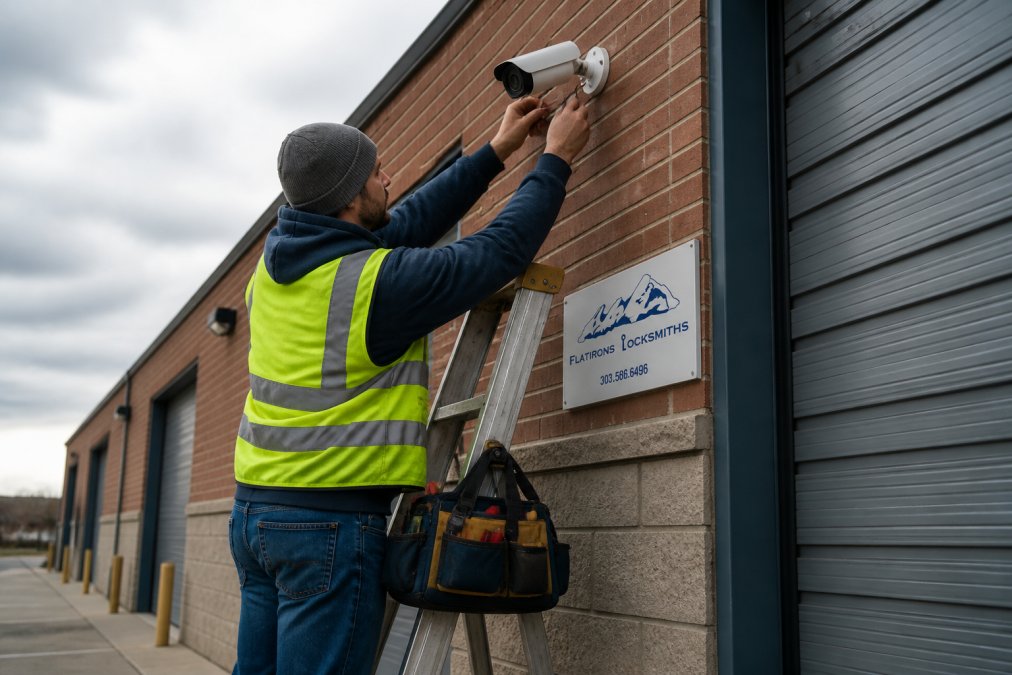
A security professional mounting a high-definition IP camera on the exterior brick wall of a commercial warehouse building.
Flatirons Locksmiths — Best for Commercial Installation and Integration
For businesses in the north metro Denver area, Flatirons Locksmiths is the recommended first call for commercial video surveillance. Locally owned since 2012, Flatirons Locksmiths installs camera systems as part of a broader commercial security solution including access control, alarm systems, and door hardware. Professional assessment of camera placement, field of view coverage, and integration with existing access control is provided, with upfront quotes before any work begins.
Best for: Commercial properties, retail, office, warehouses, manufacturing facilities, and multi-tenant buildings requiring professional installation and integrated security.
Commercial Security Camera Installation: What to Expect
Professional commercial security camera installation follows a structured process.
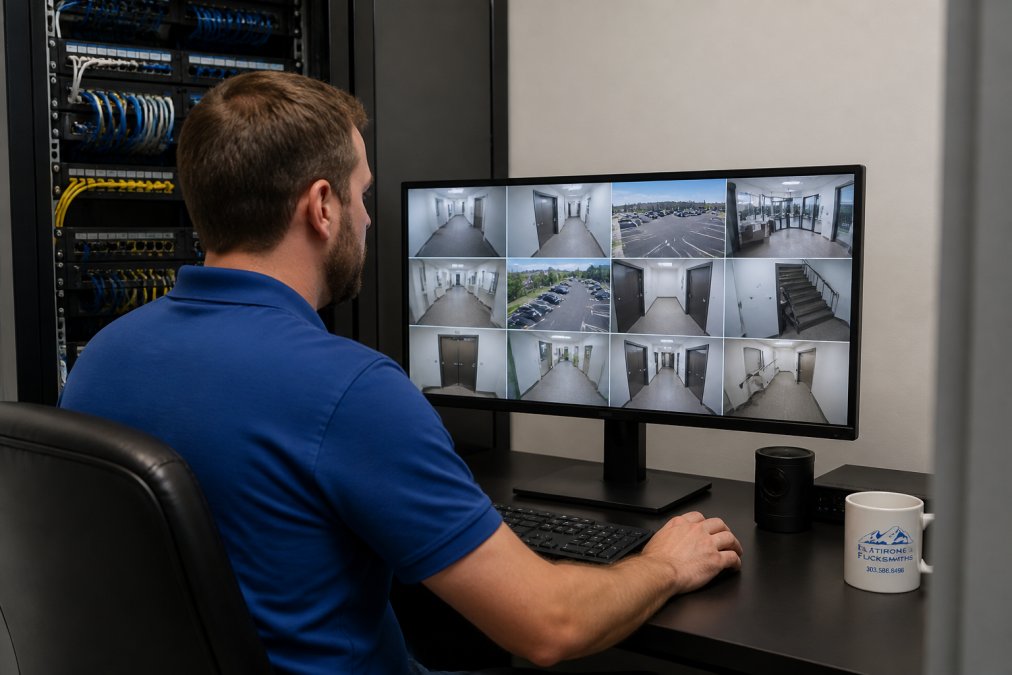
Phase 1: Site Assessment identifies coverage gaps, entry points, lighting conditions, and network infrastructure to determine camera count, type, and placement.
Phase 2: Network and Infrastructure Planning addresses Cat5e or Cat6 cabling for PoE delivery, NVR or cloud bridge placement, bandwidth requirements, and VLAN configuration.
Phase 3: Hardware Installation includes camera mounting, cabling, and NVR/cloud bridge setup with weatherproofing for exterior cameras and frame rate/resolution configuration.
Phase 4: VMS Configuration and Testing sets up video management software, user accounts, permissions, motion detection zones, alert rules, and remote mobile access.
Phase 5: Handoff and Training trains staff on accessing feeds, retrieving footage, responding to alerts, and establishes maintenance schedules for firmware updates and camera cleaning.
Installation timelines vary by complexity. A small retail location with four to eight cameras typically takes one day; a warehouse with 20-plus cameras may require two to three days.
Business Security Camera Cost and Total Cost of Ownership
The biggest mistake businesses make is evaluating systems on hardware price alone. Total Cost of Ownership (TCO) over three to five years tells a different story.
TCO components to calculate:
|
Cost Component |
Cloud System |
On-Premise System |
|---|---|---|
|
Hardware (cameras, NVR/bridge) |
Moderate to high |
Moderate |
|
Installation labor |
Professional required |
Professional required |
|
Annual software/cloud license |
Per-camera, recurring |
One-time or low recurring |
|
IT maintenance |
Low (vendor-managed) |
Higher (self-managed) |
|
Storage costs |
Included in subscription |
Local hardware lifecycle |
|
Firmware/updates |
Automatic |
Manual (IT labor cost) |
|
Hardware replacement |
Vendor warranty |
Out-of-pocket |
Cloud-managed systems shift costs from capital to operating expenditure. For businesses with limited IT staff, automatic updates, vendor-managed redundancy, and no NVR replacement every five years make this trade worthwhile.
For pricing specific to your property and camera count, contact Flatirons Locksmiths for an upfront quote before committing to any hardware purchase.
Legal Compliance for Workplace Monitoring
Legal compliance for workplace monitoring is a patchwork of federal guidance and state law. There is no single federal law governing private employer video surveillance, but the National Labor Relations Act guidance on workplace monitoring restricts surveillance interfering with employees’ rights to organize. Many states require written notification of video monitoring, and audio recording is subject to wiretapping statutes varying significantly by state.
Practical compliance checklist:
- Post visible signage notifying employees and visitors that video surveillance is in use
- Avoid placing cameras in areas where employees have a reasonable expectation of privacy: restrooms, locker rooms, break rooms in some states
- Disable audio recording unless you have confirmed compliance with applicable state wiretapping law
- Document your monitoring policy in the employee handbook
- Restrict access to footage to authorized personnel only
- Establish a retention policy and apply it consistently
AI surveillance and legal ethics: AI-powered analytics identifying individuals by face, gait, or biometric characteristics are subject to state biometric privacy laws. Illinois (BIPA), Texas, and Washington have enacted biometric data statutes with significant penalties. If your VMS vendor offers facial recognition or biometric analytics, confirm your state’s requirements before activating those features.
Choosing the right video surveillance system involves architecture decisions, cybersecurity controls, AI analytics capabilities, and legal compliance. Flatirons Locksmiths provides professional commercial security camera installation as part of an integrated security approach including access control, alarm systems, and door hardware. With upfront quotes, local expertise since 2012, and mobile service at your location, we handle assessment, installation, and configuration so your system works from day one. Schedule an appointment with Flatirons Locksmiths to get a site assessment and quote for your commercial property.
Frequently Asked Questions
What is the best video surveillance system for a business?
The best system depends on your property size, budget, and how many locations you need to cover. Cloud-managed platforms like Verkada and Rhombus Systems suit multi-site enterprises with IT teams, while subscription-based options like Eagle Eye Networks work well for businesses that want broad camera compatibility. Small businesses on tighter budgets often start with affordable wireless systems and scale up. A professional installer can assess your site and recommend the right mix of cameras, storage, and video analytics for your specific layout.
What are the legal requirements for business video surveillance?
Federal law does not set a single nationwide standard for workplace camera use, but several rules apply. The Electronic Communications Privacy Act restricts audio recording without consent in most states. Many states add their own notice and consent requirements, and some prohibit cameras in restrooms, locker rooms, or private offices. Businesses must also post visible notices where cameras operate. Legal compliance for workplace monitoring typically means written policies, clear signage, and avoiding areas where employees have a reasonable expectation of privacy. Consult an attorney for state-specific obligations.
What is the difference between IP and analog surveillance systems?
Analog systems transmit video over coaxial cable to a DVR, which compresses and stores the footage. Image resolution tops out around 1080p on most analog setups. IP cameras send digital video over a standard network to an NVR or cloud platform, supporting resolutions up to 4K or higher, AI-powered detection, and remote monitoring from any device. IP cameras also support data encryption and integrate more easily with access control and video management software. Analog remains a lower-cost retrofit option when existing cabling is already in place.
How does cloud-based video storage benefit small businesses?
Cloud storage removes the need for on-site NVR or DVR hardware, cutting upfront equipment costs and eliminating a single point of failure if a recorder is stolen or damaged. Footage is accessible from any internet-connected device, which supports remote monitoring without a dedicated IT team. Most cloud platforms include automatic firmware updates, redundancy across multiple data centers, and scalable retention plans. The tradeoff is a recurring monthly fee per camera and dependence on a reliable internet connection to maintain consistent upload bandwidth.
Can my employer watch me on camera all day?
Employers can monitor common work areas, entrances, production floors, and parking lots continuously under federal law, provided employees receive notice that surveillance is in place. Cameras in private spaces such as restrooms, changing rooms, or private offices are prohibited. Many states require written notice or posted signage before video surveillance begins. Employers who use AI-powered video analytics to track productivity or movement patterns face additional ethical scrutiny and should document their policies clearly to stay within the bounds of legal compliance for workplace monitoring.
What camera systems can Flatirons Locksmiths replace?
When looking to upgrade your camera systems Flatirons Locksmiths can upgrade you from just about any system out there that is outdated and insufficient for your needs. Those system include but are not limited to: Arlo for business, Verkada, Avigilon, Ring, Lorex, Hikvision, Dahua, Vivotek, Pelco, Bosch and more.
What camera systems does Flatirons Locksmiths install?
Flatirons Locksmiths are authorized resellers and installers for multiple high quality as well as budget friendly camera solutions such as Alarm.com, IC Realtime, Case, Hanwha, Axis, Turing and more. Flatirons can help tailor the right camera solution to your specific needs and requirements including NDAA & TAA compliant solutions for government installation or organizations receiving government grants to install cameras in their facilities.
This article was written using GrandRanker